
Настройка SMTP-доставки
Профили отправителей, проверка соединения, SSL и готовый webhook для запуска писем из любого backend-сервиса.
Интегрируйте отправку писем со всех нужных вам почт через одно приложение: отправка, интеграция, логи и контроль доставки уже собраны в одном невероятно удобном интерфейсе.
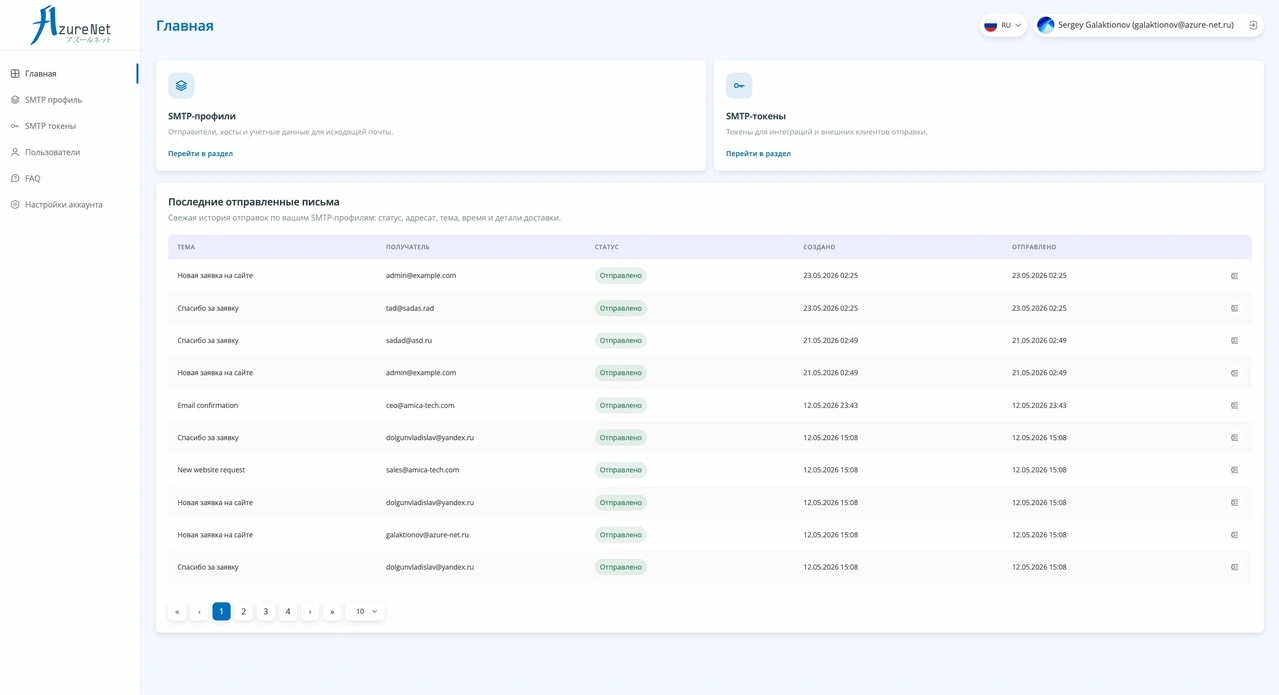
Закройте весь путь исходящей почты: от подключения SMTP до безопасной интеграции и контроля результата.
Профили отправителей, проверка соединения, SSL и готовый webhook для запуска писем из любого backend-сервиса.
Access-токены под CRM, сайт, биллинг или админку с доступом только к нужным SMTP-профилям.
Логи, статусы, ошибки, вложения, отложенные письма, ручные повторы и отмена запланированных отправок.
Подключите почтовую инфраструктуру один раз, отдайте backend-команде безопасный способ отправки и контролируйте результат в понятном интерфейсе.
Укажите хост, порт, SSL, отправителя и учётные данные один раз. Сервис проверит подключение и соберёт настройки в профиль для рабочей отправки.
Создайте отдельный токен для сайта, CRM, биллинга или админки. Ограничьте доступ нужными SMTP-профилями и задайте срок действия секрета.
Backend отправляет письма через готовый webhook: тема, HTML, текст, адресаты и вложения уходят одним запросом без собственной SMTP-логики.
Отслеживайте статусы, ошибки, адресатов, вложения и историю попыток. Отложенное письмо можно отменить, а неудачную отправку повторить.
Больше не нужно хранить SMTP-настройки в каждом сервисе, повторять одну и ту же логику отправки и разбирать ошибки по логам приложения. Backend отправляет письмо в webhook нужного SMTP-профиля, а сервис берёт на себя доставку, статусы и историю.
const form = new FormData();
form.append('to', 'client@example.com');
form.append('subject', 'Invoice is ready');
form.append('html', '<p>Your invoice is attached.</p>');
form.append('attachments', invoiceFile);

await fetch('https://api.example.ru/api/hooks/YOUR_HOOK_KEY', {
  method: 'POST',
  headers: { Authorization: 'Bearer YOUR_SMTP_TOKEN' },
  body: form
});Создайте SMTP-профиль, выдайте backend-команде токен и отправляйте письма через готовые webhook-интеграции с логами, статусами и контролем доставки.